Create
Folder
You have the option to create a folder structure to organize a punch list. It is Recommended to use folders for keeping punch lists organized.
To Create a Folder
| • | Click on the Create A Folder icon  |
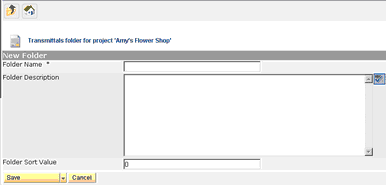
| • | Insert the folder name, description and sort order (if applicable). The sort order will be as created unless defined differently. |
| • | Saving |
| • | Save Folder to save; will bring you back to the main screen |
| • | Save & New to create another folder |
| • | Save & Copy to copy and create another folder |
| • | Cancel will cancel out folder |